Automatic completion
The capture ends as soon as all mandatory steps are done.
Aestimo Capture
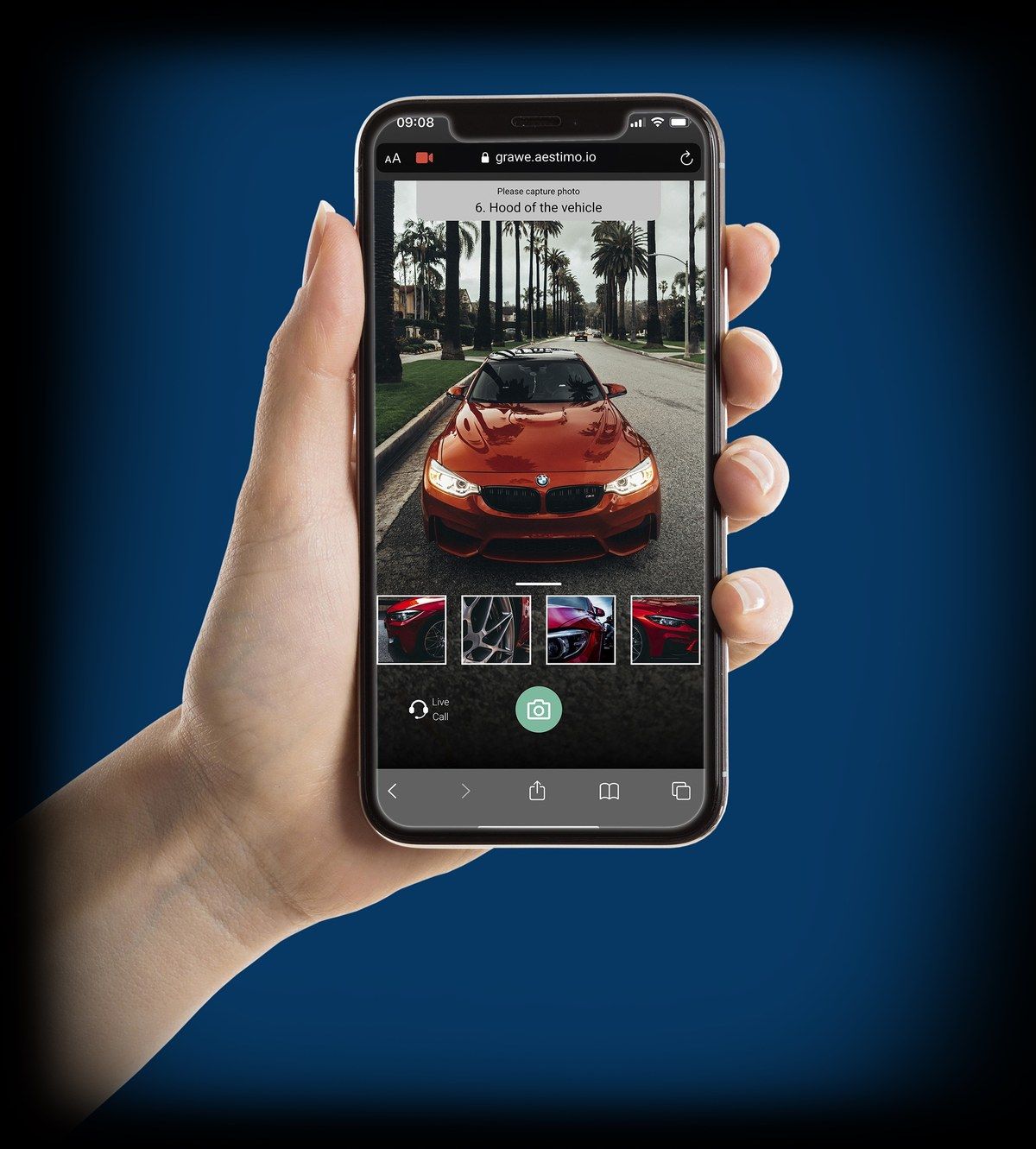
Aestimo Capture guides your customers through the claim capture by link, checks every photo the moment it’s taken and hands complete, usable case data to your system via API – ready for automated processing.
Why Capture
As long as claims data arrives incomplete, a person has to touch every case: request, ask, re-check. Automation only works once the intake is right.
Missing information, documents or angles trigger follow-up requests before the actual handling even starts.
Blurry, dark or wrong photos are often only noticed by the claims handler – long after the customer has left the scene.
Edited photos, screenshots and AI-generated images are quick to create and hard to spot afterwards.
With Aestimo Capture
Photos, video and data are captured live in an interface controlled by Aestimo – not uploaded from the gallery. Edited or AI-generated files never get into the case. Aestimo operational figure.
Guided self-submission
The customer is guided through exactly the steps your process needs. Every photo is checked immediately – not later by the claims handler.
Guided self-submissionIllustrative
Photo not usable – please take it again.
Ready for automation
Capture delivers photos, videos, documents, location and an AI damage description to your system in a structured way. The Insurance AI Workbench takes over – fully automated where your rules allow, with expert approval where they require it.
Explore the Insurance AI WorkbenchThe capture ends as soon as all mandatory steps are done.
Your system is notified and retrieves media and metadata.
Detailed damage description and flags for screenshots or photos of photos.
Coverage check, cost estimate, settlement – according to your review rules.
Live video inspection
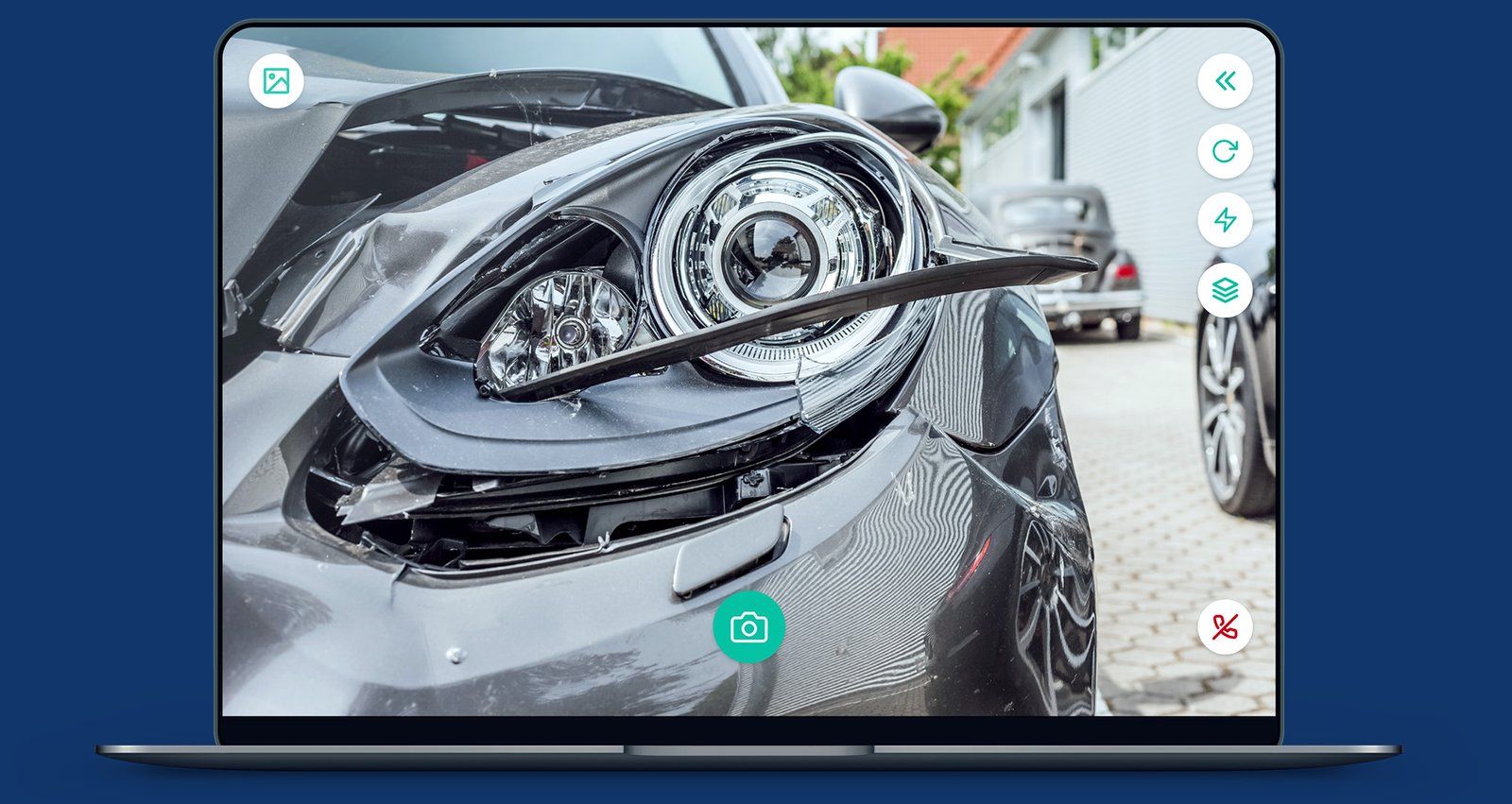
Some claims need an expert who can see and direct the details. Instead of driving to the loss site, they guide the customer through the inspection on a video call.
Field inspection vs. live video
In the same time, a field inspector handles 7 claims on average – a desk-based inspector handles 50. Travel and scheduling tie up scarce expert capacity. Aestimo operational figure for live video inspections. Results vary by process and implementation.
Live-call tools
Front and rear cameras plus every lens detected on the customer’s device.
The assessor turns on the customer’s light in poor lighting.
Preset visual instructions shown to both parties.
Photos, videos of up to one minute and audio recordings – the customer always sees a notice.
Mark up and comment on photos – the original is preserved.
Markings appear live for both participants.
The assessor shows the customer documents or examples.
Messages plus PDF and JPG uploads – part of the case report.
Case notes the customer doesn’t see.
Reduces bandwidth to protect audio and photo transfer on poor networks.
Configuration
Claim categories with their own capture steps, mandatory items and notifications.
User, supervisor, admin and a technical API role. Users are assigned to groups and claim categories.
Mandatory consent with your own text; location sharing required or optional.
Deletion periods from 1 to 60 days per category.
Application name, primary colour, logo and favicon in your brand.
REST API, webhooks, API-only case creation and Zoho WorkDrive.
Technical requirements
| Assessors & claims handlers | Windows, macOS or Linux with an up-to-date Chrome, Firefox or Edge. A headset is optional. |
|---|---|
| Customer | Smartphone or tablet with a camera and internet connection. Recommended: Safari on iOS, Chrome on Android. |
| Installation | None. The customer opens a link; the assessor works in the browser. |
| Languages | Customer interface in German, English, French, Italian, Slovenian and Croatian. |
| Scope | Property and casualty claims, excluding personal injury. |
Book a demo
A specific use case is the best starting point.